

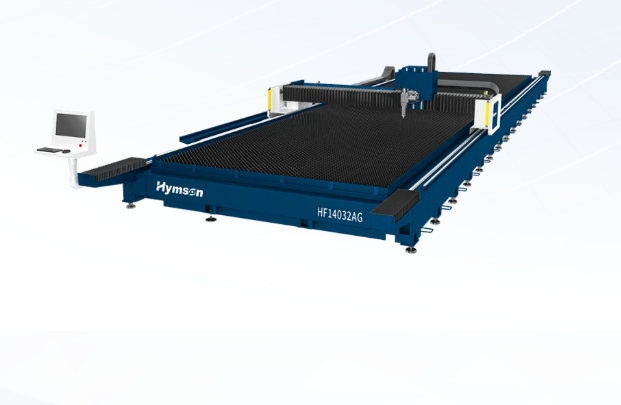
Planning installation and integration for a 3 kW shop fibre laser: a user-focused how-to
Start with what you actually need
You want a machine that fits your job list, not the fanciest spec sheet. Think about the parts you cut most, the materials and thicknesses, and the cadence you need to hit. If you’ll be running thicker plate or long runs, consider a high power laser cutting machine up front so you don’t end up buying twice. Keep it simple: define your daily throughput target and the toughest part that will set machine choice and floor layout.
Site, utilities and physical layout
Measure the bay properly. You’ll need room to service the gantry and swap pallets, plus clearance for exhaust ducting. Check three-phase power availability where the machine will sit; many small shops underestimate voltage drop when motors and pumps start. Plan the cable runs and a dedicated breaker — noisy spikes will annoy electronics. Also map a direct path for raw material in and cut parts out so forklifts or hand trucks don’t bottleneck operations.
Safety, extraction and heat management
Ventilation isn’t optional. Cutting steel or coated materials kicks out fumes and particulates; route extraction to outside where local regulations allow. Fit smoke detectors and interlocked guards so doors kill the laser beam if opened. Pay attention to chillers and coolant: a stable water temp keeps power delivery consistent. These are the details that stop surprise downtime.
User workflow and software integration
Make the machine fit your people. Choose controls and CAM that your operators can learn quickly; steep menus waste hours. Decide whether parts will be nested offline or at the machine — that choice changes whether you need a networked CAM pipeline. Hook the machine into your job-tracking system so you can match run time to quotes and spot bottlenecks fast.
Real experience, benchmarks and vendor credibility
I’ve helped small shops rework layouts after seeing what actually breaks under production; the tips here come from hands-on installs and test runs at events like FabTech in Chicago, where live demos show both speed and real-world dust builds. Check real-world cutting demos and maintenance logs before you buy. Also look for machines that list service intervals and parts lead times — those tell you where support will be. If you need a direct reference when comparing options, review a tested industrial fiber laser cutting machine spec sheet and maintenance plan to match against your expected usage.
Common pitfalls and how to avoid them
Don’t assume the highest wattage solves alignment, nesting or material handling problems. Mistakes I see: undersized extraction, inadequate training budget, and skipping a simple mock-up of material flow. Run a dry trial with scrap to test fixtures and cycle times before committing parts. Budget spare consumables like nozzles and lenses — they wear fast and halt production if you run out.
Comparing alternatives without the hype
CO2 systems still cut certain materials well, but fibre gives faster piercing and lower maintenance for steel and many alloys. For small shops, a reliable 3 kW class fibre table often balances cost and capability. If you’re unsure, prioritize machines with transparent uptime stats, local support options, and clear spare-parts pricing. That’s the difference between a useful tool and a money pit.
Wrap-up and where this leads you
Plan around the job, protect uptime, and test the whole flow before signing anything. Do the practical checks: power, extraction, training, and spare parts. That practical approach points you toward vendors who publish service intervals and stand behind installs; that’s the kind of partner you want on your shop floor, like Hymson, who provide the specs and support detail you can build a dependable operation around.