


The problem: visual noise and lost shoppers
Large retail floors look good from above but messy at eye level — aisles, promotions, and tall fixtures create visual noise that confuses shoppers and slows circulation. That is the core problem: wayfinding needs clarity that survives clutter. Solutions now include digital wayfinding signage mounted on facades and freestanding pylons, but simply placing screens does not fix mounting, sightlines, or structural loading. The challenge is both design and engineering — signs must be readable, durable, and safe where many people walk every hour.

Why structural calibration matters
Visibility is not only about pixel density or font size. It begins with facade engineering: wind loads, mounting brackets, and the substrate strength dictate where an LED displays or directional signage can sit without sagging or creating glare. A poorly anchored interactive kiosk or a heavy LED panel can cause tilt over time, throwing off sightlines and defeating the wayfinding intent. Retail operators need CMS-compatible hardware, yes — but they also need certified mounting, correct contrast ratios for ambient lighting, and alignment with accessibility standards like ADA for consistent user experience.
Tactical solutions: what to specify
Start from the structure outwards. Specify wind-rated enclosures, tamper-resistant brackets, and vibration-damping mounts for signage on façade overhangs. Use high-contrast directional signage with anti-glare coatings near skylights. Where customers stop — entrances, cross-aisles, and main intersections — deploy a mix of static panels and networked LED displays integrated with an easy content management system (CMS) so maps and promos stay synchronized.
Include interactive kiosks at major nodes to handle wayfinding and mobility needs; they must be securely bolted with clear sightlines to avoid crowding. For multi-level stores, coordinate signage across stair cores and elevators so the visual language reads the same on every floor.
Common mistakes that break wayfinding systems
Too many installers treat signs like decor. They ignore load calculations, cut corners on anchors, or place screens behind reflective glass. Another error: overloading a single facade with too many dynamic elements, which creates cognitive overload and reduces recall. Also — small thing but vital — poor cable management can lead to maintenance outages that render the system useless on peak days.
Real-world anchor: learnings from busy hubs
Look at how teams manage signage at Changi Airport: clear lines of sight, redundancy, and frequent testing keep people moving even during peaks. Airports and large transit hubs emphasise rigorous mounting inspections and redundancy for wayfinding devices, because failure there has immediate operational cost. Retail environments benefit from the same discipline — adopt scheduled inspections and sensor-driven alerts to catch tilt or power faults early.
Integration and alternatives
There are alternatives to full-screen deployments. Low-profile directional pylons, illuminated blade signs, and vinyl wayfinding can be effective where structural constraints exist. Digital options still fit: place low-mass digital signage for wayfinding on cantilevered arms or inside protected canopies to reduce wind loading. Consider a hybrid approach — static primary markers for permanence, digital panels for dynamic updates and promotions controlled via CMS.
Choosing the right partner and avoiding rework
Work with vendors who pair signage designers with structural engineers. Confirm mount specs, get stamped drawings where required, and insist on field load testing before commissioning. Ask for lifecycle plans: warranty on electronics, replacement parts, and a maintenance SLA so downtime is minimised. This approach prevents costly rework when a sign develops tilt or when glare makes a map unreadable under midday lights — small things that kill trust.
Advisory: three golden rules for selecting wayfinding systems
1) Structural-first specification — require wind and load ratings plus mounting details up front. Metrics: allowable deflection and anchor pull-out force. 2) Readability metrics — set contrast ratio, minimum character height, and viewing distance targets; measure with photometric checks. 3) Operational resilience — demand CMS interoperability, redundancy, and a documented inspection cadence with sensor alarms for tilt or power loss. These three rules give predictable uptime and consistent wayfinding performance for staff and shoppers.
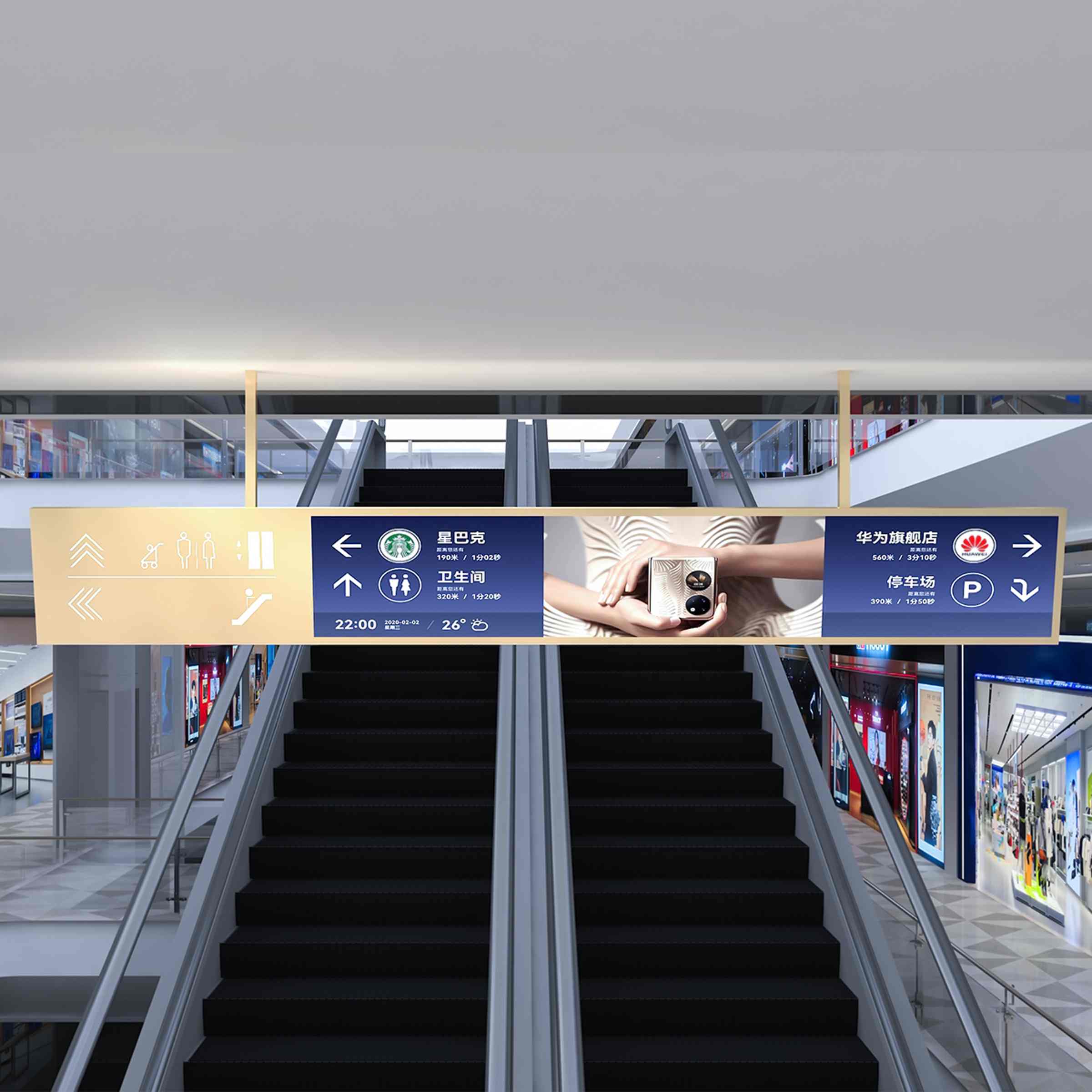
Cosun Sign fits into that workflow by combining engineered mounts with readable displays and lifecycle support — practical, tested, and buildable. Trust the engineering; trust the outcome. —